Which case modes are included?
The tool supports sentence, lower, upper, title, capitalized, alternating, and inverse case so you can adapt copy for many publishing contexts.
Standardize content tone in seconds with a fast case converter built for editorial, SEO, and workflow consistency.
Tip: sentence/title are best for publishing copy, while alternating/inverse are useful for social and testing workflows.
No operations yet.
Case Converter is a text workflow tool for teams that publish copy, manage UI strings, or work with code identifiers. Inconsistent capitalization is rarely a single typo; it is usually a signal that text came from different sources, tools, or authors. This page explains how to convert case deliberately, verify output, and connect the result to the rest of your editorial or engineering pipeline.
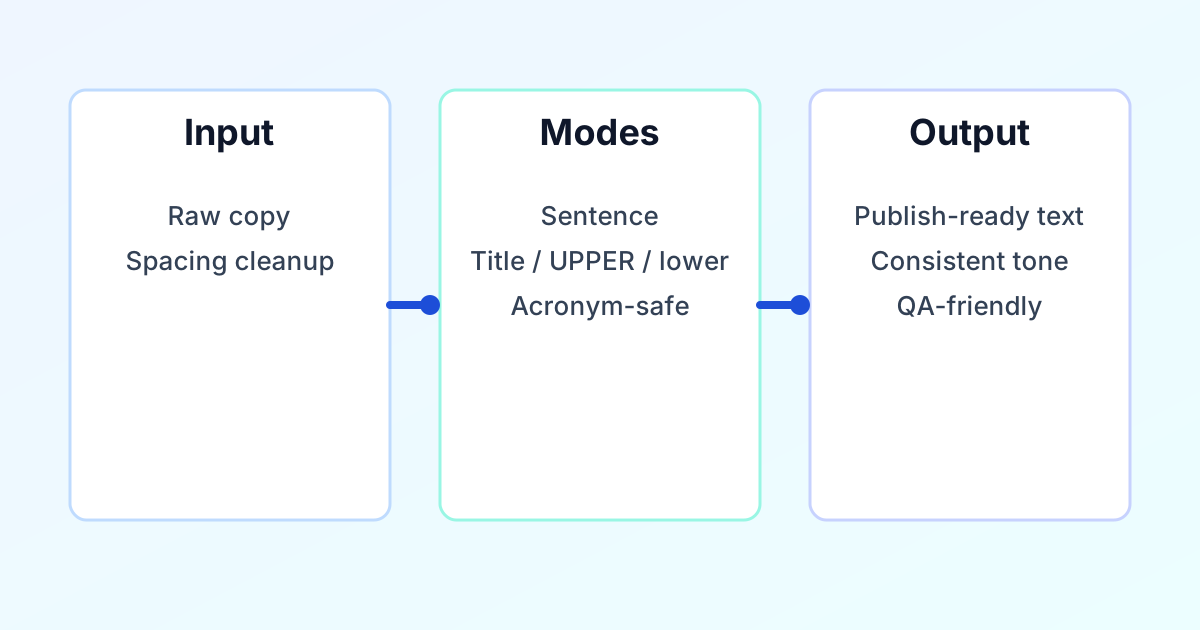
Operating sequence. Paste or type your source text, choose the target case mode that matches the destination (headline, paragraph, slug, or identifier), review the output panel, then copy or download. For long drafts, work in sections so headings, body copy, and labels keep separate rules.
Letter case is a structural cue. Readers use capitalization to infer hierarchy (headline versus body), emphasis (labels versus prose), and trust (polished versus rushed). In product and marketing copy, inconsistent case undermines the sense that a page was reviewed as a single system.
For engineering, case is part of the contract: APIs, components, and configuration keys are often case-sensitive. A batch rename that ignores naming rules creates churn in code review and increases the risk of subtle bugs. Treating case conversion as a controlled step—rather than manual find-and-replace—reduces that risk.
For search and sharing, stable lowercase slugs and predictable title casing in snippets help teams avoid accidental duplicates and awkward previews. The goal is not decorative uniformity; it is predictable behavior across channels.
UPPER CASE suits short warnings, acronyms, or single-line emphasis. Avoid long passages in all caps because readability drops sharply.
lower case supports normalization, imports, and slug preparation before you run a dedicated slug or URL pass.
Title Case fits many headlines and product surfaces when your style guide capitalizes major words.
Sentence case is the default for explanatory paragraphs and most long-form body copy.
camelCase and PascalCase align with common JavaScript and class naming patterns. snake_case matches many data and Python conventions. kebab-case is typical for URLs, HTML attributes, and CSS class names.
Professional teams rarely “fix case” in isolation. They align it with whitespace hygiene, length limits, and terminology control. A practical sequence is: normalize spacing, convert case by layer (headings separate from body), then run secondary checks.
Normalize first. If the text has irregular spaces or blank lines, clean it with Remove Extra Spaces so word boundaries stay predictable before conversion.
Convert by layer. Headings, CTA labels, metadata, and body copy often follow different rules. Applying one mode to an entire page export usually creates new inconsistencies; segment the work instead.
Verify with supporting tools. Use Word Counter when you must hit character or word budgets, Slug Generator for URL-safe strings after lowercasing, and Keyword Density Checker when editorial SEO context matters.
Organize output. For sorted inventories or columnar lists, follow with Sort Text Lines. For creative or test variants, Reverse Text can sit at the end of a pipeline after case is correct.
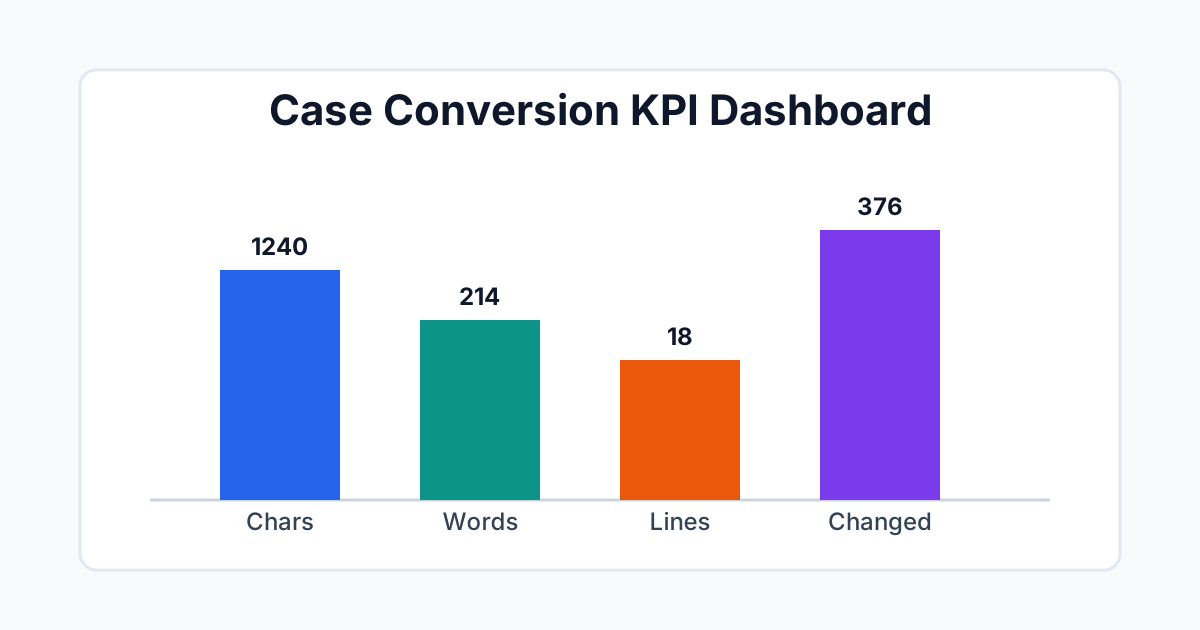
Metrics in this tool are meant for release discipline: they answer whether the transformation scope matches what you intended to change.
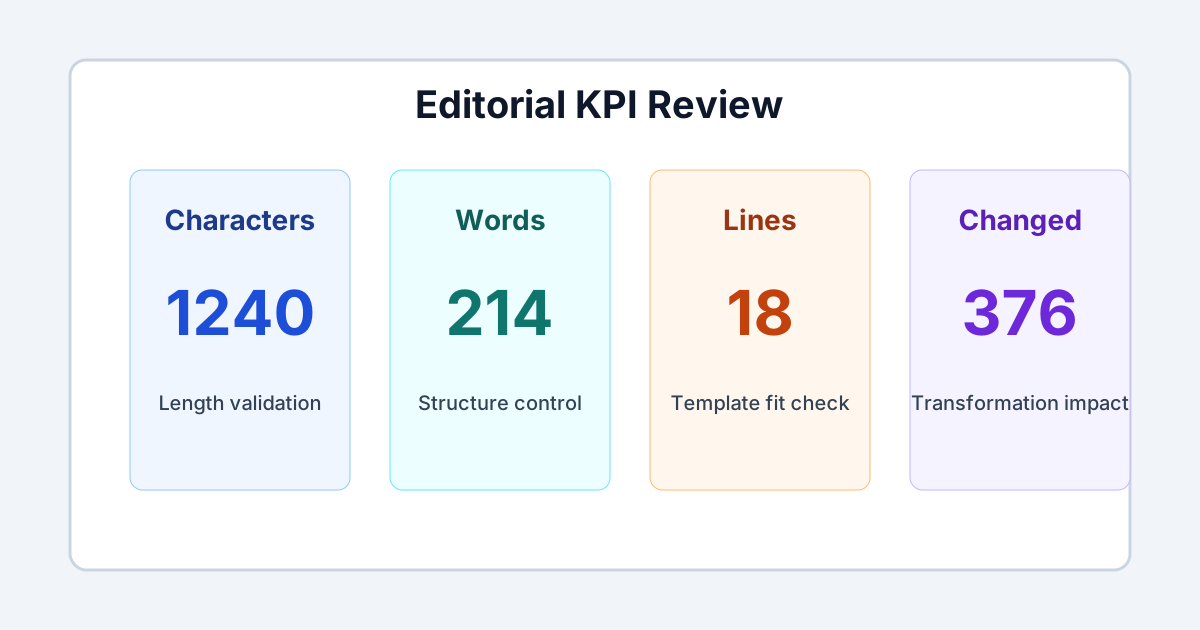
Output characters and words. Use these when titles, snippets, or UI strings must stay inside fixed limits.
Output lines. Useful when pasting into templates, CSV columns, or components that render line breaks literally.
Changed letters. A large value is expected when input was mixed case; a large value on already-clean text suggests the wrong mode or a need to normalize first.
Visual diff. Treat this as the sign-off layer: it shows exactly what moved, which is faster than rereading the entire block.
Content integrity. Confirm meaning, sentence boundaries, and punctuation still read naturally after conversion.
Terminology. Manually check acronyms, product names, and regulated terms; automation should assist judgment, not replace it.
Handoff. Paste into the final system, do one visual pass after any manual tweak, and keep a revision trail for audit if the asset is compliance-sensitive.
Word Counter·Slug Generator·Keyword Density Checker·Remove Extra Spaces·Sort Text Lines·Reverse Text·Browse all text tools
The tool supports sentence, lower, upper, title, capitalized, alternating, and inverse case so you can adapt copy for many publishing contexts.
Yes. Enable the preserve-acronyms option to reduce accidental edits on uppercase abbreviations while still transforming the rest of the text.
No. Conversion runs in your browser session. You can clear input and output at any time.
Yes. Applying consistent case before final review helps headings, snippets, and on-page copy look cleaner and more professional.
Yes. Use trim and collapse options before conversion to improve token consistency, then apply the target case mode.
Sentence case is best for body text and descriptions, while title case works better for headings, cards, and section labels.