Percentage Calculator
Turn everyday numbers into trustworthy percent answers—what a rate does to a base, how much something moved, and how two quoted rates differ in points—so invoices, dashboards, and slide decks stay aligned with the math.
Formula used
How to Use the Percentage Calculator
This calculator provides five distinct calculation modes, each solving a different type of percentage problem. Select the tab that matches what you are trying to find:
- X% of Y: Enter a percentage and a base number to find the resulting value. Use this for calculating taxes, tips, discounts, or any proportional amount. Example: 18% of $2,400 = $432.
- X is What % of Y?: Enter a part and a whole. The calculator tells you what percentage the part represents. Use this for test scores, market share, or progress measurements. Example: 387 out of 500 = 77.4%.
- % Change: Enter an old value and a new value. The tool computes the percentage increase or decrease. Positive = increase, negative = decrease. Example: 84 to 96 = +14.29%.
- Find Original: Given the final value after a percentage change and the known percentage, recover the original value. Example: a salary of $57,500 after a 15% raise → original was $50,000.
- Percentage Points: Subtract one percentage rate from another. This measures the arithmetic gap between two rates — distinct from the percentage change between them. Example: rates rising from 3.25% to 5% = +1.75 percentage points.
After selecting a mode, enter your values and press Calculate or hit Enter. Results display instantly with 6 detailed KPI tiles (all clickable to copy), a step-by-step formula, and a visual comparison bar for modes that compare two values.
5 Calculation Modes Explained
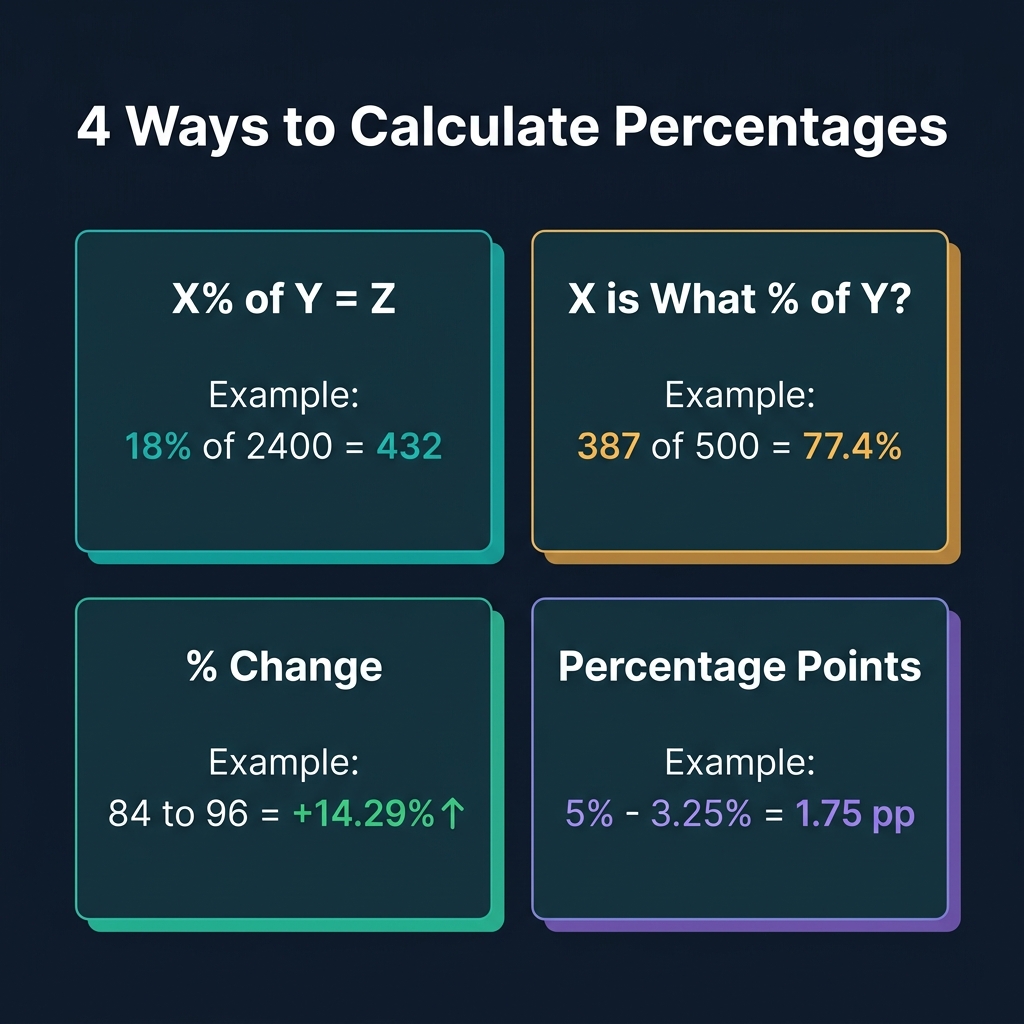
Each mode uses a distinct formula and serves a different practical purpose:
- Mode 1 — X% of Y is the most common: used for sales tax (8.875% of $99.00), tip calculation (20% of $65), portfolio allocation (60% of $50,000 in equities), and dosage calculations (5% of 200ml). The formula is Result = (X ÷ 100) × Y.
- Mode 2 — Part/Whole Ratio answers "what fraction is this?" problems: you scored 45/60 on a quiz (how much?), 12 of 80 employees are remote (what percent?), or a company controls 3.4M of a 22M-unit market. Formula: P% = (Part ÷ Whole) × 100.
- Mode 3 — % Change tracks growth or decline: revenue went from $1.2M to $1.58M (what was the growth?), weight dropped from 85kg to 72kg (how many percent?), or stock price moved from $150 to $127 (percent loss?). Formula: % Change = ((New − Old) ÷ |Old|) × 100.
- Mode 4 — Find Original (Reverse %) recovers the starting point: what was the pre-tax price if the after-tax total is $107.50 at 7.5% tax? What salary was paid before a 12% bonus? Formula: Original = New ÷ (1 + %/100).
- Mode 5 — Percentage Points is the most frequently misunderstood. It gives the raw arithmetic difference: if the unemployment rate falls from 6.2% to 5.1%, it fell 1.1 percentage points — but fell 17.7% relative to itself. Formula: PP Difference = Rate B − Rate A.
All Percentage Formulas
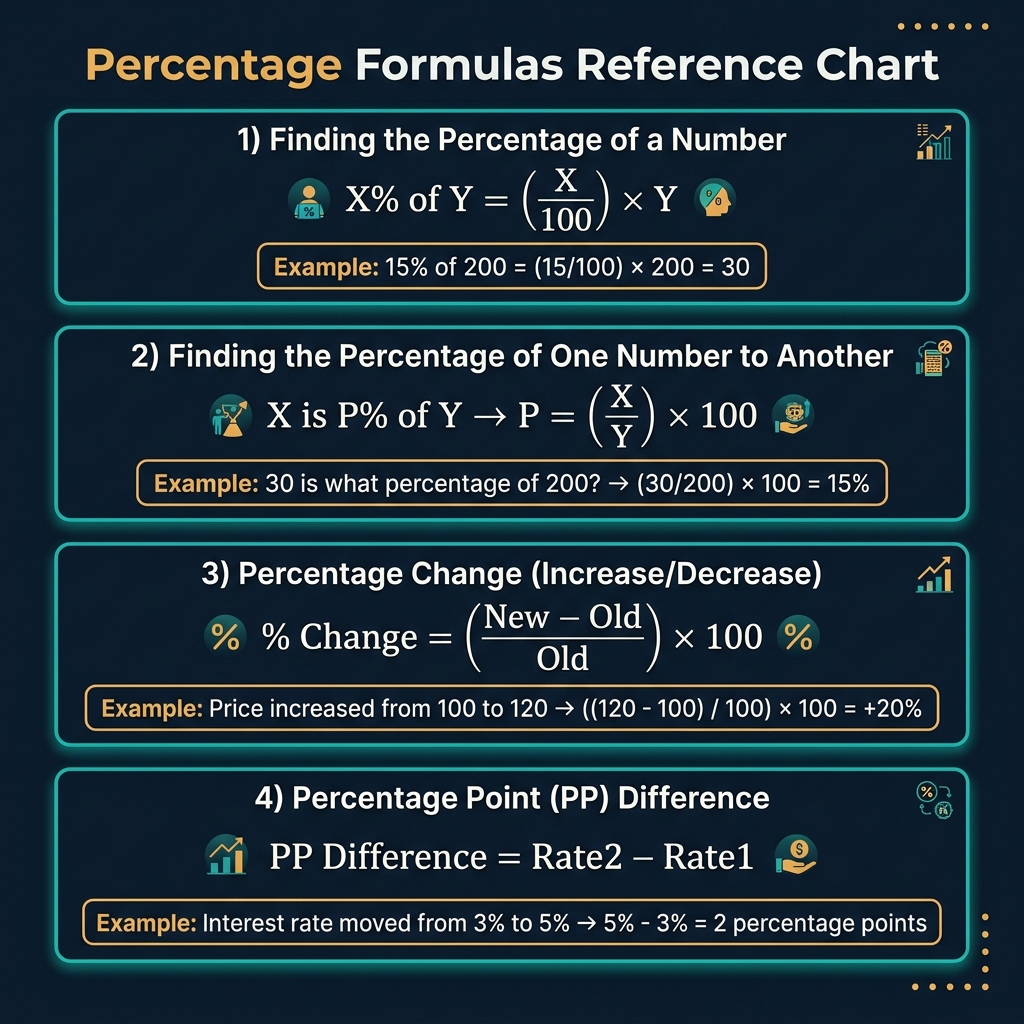
Here are all four essential formulas in one place for quick reference:
- Formula 1 — Percent of a Number: Result = (X / 100) × Y. To find 15% of 200, compute (15/100) × 200 = 30.
- Formula 2 — What Percent is X of Y?: P% = (X / Y) × 100. To find what percent 30 is of 200, compute (30/200) × 100 = 15%.
- Formula 3 — Percent Change: % Change = ((New − Old) / |Old|) × 100. If price rises from $100 to $125, % change = (25/100) × 100 = +25%. If it falls from $100 to $80, = (−20/100) × 100 = −20%.
- Formula 4 — Reverse Percentage: Original = New / (1 + %/100). If a product costs $115 after a 15% markup, the original cost = 115 / 1.15 = $100. If your paycheck of $2,380 has 15% withheld, gross = 2380 / (1 − 0.15) = $2,800.
An important identity: if you know any two of (X%, base, result), you can find the third. This calculator solves all three combinations.
Everyday Percentage Uses
- Shopping: A $200 jacket is 30% off. Discount = 30% × $200 = $60. Sale price = $200 − $60 = $140. To verify: $140 / $200 × 100 = 70% (you're paying 70% of the original). Always apply the discount to the original price, not the discounted one.
- Tipping: 20% of a $67.50 restaurant bill = (20/100) × 67.50 = $13.50. A quick mental calculation: move the decimal left one place (= $6.75 for 10%) and double it (= $13.50 for 20%).
- Grades: You answered 42/50 questions correctly. Your score = (42/50) × 100 = 84%. Your failing threshold at 60% is 30/50 = 30 correct — meaning you needed at least 31 to pass.
- Nutrition: A meal has 35g of fat and 600 total calories. Fat has 9 cal/g, so 35 × 9 = 315 calories from fat. Fat percentage = (315/600) × 100 = 52.5% of calories from fat — well above the recommended 30%.
- Probability: 18 out of 120 responses were positive. Response rate = (18/120) × 100 = 15%. Confidence: with this small a sample, ±margin of error matters — use this with a statistical average calculator to contextualize the result.
Finance & Business Applications
- Profit margin: Revenue of $500,000 and net profit of $75,000. Margin = (75000/500000) × 100 = 15%. Use this alongside our Profit Margin Calculator for gross and operating margin breakdowns.
- Discounts and markups: A product costs $40 wholesale. Your retail price is $65. Markup = ((65−40)/40) × 100 = 62.5%. Margin = ((65−40)/65) × 100 = 38.5%. These are different! Our Discount Calculator handles combined discounts with tax.
- Investment returns: Portfolio was $42,000 and grew to $49,350. Return = ((49350−42000)/42000) × 100 = +17.5%. For compounded returns over years, use the Percentage Increase Calculator's Repeated Growth mode with the compound formula Final = Start × (1 + r%)ⁿ.
- Sales tax: A product costs $89.00. Tax is 8.25%. Tax amount = 8.25% × $89 = $7.34. Total = $96.34. Reverse: the receipt shows $96.34 total. Pre-tax = $96.34 / 1.0825 = $89.00 exactly.
- Commission: Sales rep earns 6% on $15,000 in sales. Commission = 6% × $15,000 = $900. If the quota is $20,000 at 5%, max commission = $1,000. Progress toward quota: (15000/20000) × 100 = 75% attainment.
Common Percentage Mistakes to Avoid
- Adding successive discounts: A 30% off sale with an extra 20% off is NOT 50% off. It's 1 − (0.70 × 0.80) = 1 − 0.56 = 44% off. You must multiply the multipliers, not add the percentages.
- Subtracting the percent from the total (reverse %): If a bill is $115 after a 15% tip, the pre-tip amount is NOT $115 − 15% of $115 = $97.75. The correct answer is $115 / 1.15 = $100.00. Subtracting the percent from the final inflated total always understates the original.
- Confusing margin and markup: A 50% markup on a $100 cost gives a $150 selling price. But the margin is (50/150) × 100 = 33.3%, not 50%. Markup is relative to cost; margin is relative to revenue.
- Symmetric percentage fallacy: A 25% gain followed by a 25% loss does not return to 0%. Starting with $100: +25% = $125, then −25% = $93.75. The net result is −6.25%. Gains and losses of equal magnitudes are not symmetric in impact.
- Percent vs percentage points: If inflation drops from 8% to 6%, it fell 2 percentage points — but a 25% relative reduction in the inflation rate. Both are accurate but convey very different stories. Specify which you mean.
Percentage Points vs. Percent Change
This is one of the most important distinctions in quantitative literacy:
- Percentage point (pp): The raw arithmetic difference between two percentages. If market share rises from 18% to 23%, it gained 5 pp.
- Percent change in the percentage: The relative change. 18% → 23% is a relative increase of (23−18)/18 × 100 = +27.8% in market share percentage.
- In practice: Politicians often choose whichever sounds more favorable. A tax cut from 40% to 36% is "4 percentage points lower" (modest) or "10% lower" (dramatic). Both are mathematically correct. Always verify which measure is being cited.
- Basis points (bps): In finance, 1 basis point = 0.01 percentage point (= 0.01%). The Fed raising rates from 5.00% to 5.25% is a 25 basis point hike. Use our Percentage Points mode and multiply by 100 to get basis points.
Related Math & Finance Calculators
- Percentage Increase Calculator — Dedicated to percentage change analysis with 4 modes including compound growth over multiple periods. Complements this tool for time-series analysis.
- Percentage Discount Calculator — Calculate the final price after a percentage discount, the discount amount, and the discount percentage from original and sale price.
- Discount Calculator — Handles stacked discounts, partial rebates, and combined promotions — for retail pricing, markdown analysis, and clearance calculations.
- Profit Margin Calculator — Calculate gross margin, net margin, and markup percentage from cost and revenue inputs. Uses percentage formulas throughout.
- Slope Calculator — Slope as a percentage grade (rise/run × 100%) is a direct percentage application in engineering, surveying, and road design.