Why Unix time is still the lingua franca of systems
This Unix timestamp converter is built for day-to-day engineering work: reconciling logs, debugging APIs, migrating data between languages, and turning opaque integers like “1712847234” into a calendar everyone can read. The page follows the same structured layout as our investment calculator experience—clear panels, strong hierarchy, and copy-friendly outputs—while covering seconds through nanoseconds, batch lines, and practical safety notes.
Under the hood, Unix time counts elapsed time from the Unix epoch (1970-01-01T00:00:00Z). In the usual POSIX interpretation, that count does not insert leap seconds, so civil clocks and Unix time can diverge at leap-second boundaries. This tool renders each instant in UTC and in your local wall time, and runs the conversions in your browser so routine values are not sent to our servers.
Teams still ship bugs when milliseconds are treated as seconds, when time zones are assumed instead of labeled, or when CSV exports mix ISO strings with raw integers. A disciplined converter reduces those mistakes by showing every representation side by side: UTC ISO-8601, a rich local string, and parallel numeric forms (seconds, milliseconds, microseconds, nanoseconds) derived from the same underlying instant whenever it is safe to do so in JavaScript.
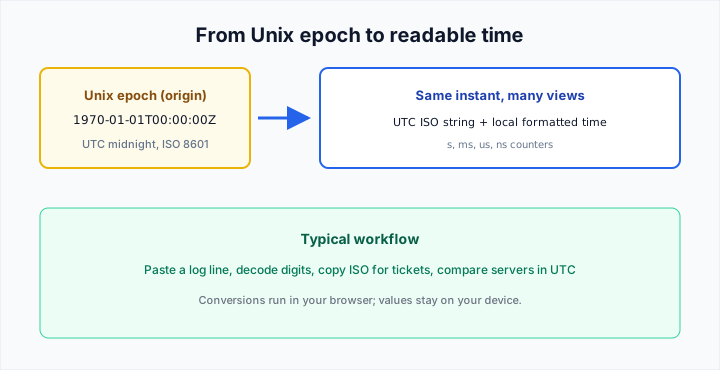
What this shows: the Unix epoch as a fixed origin, and why engineers still juggle UTC strings, locale output, and several numeric widths for the same moment.
What you can do on this page
The live clock answers “what is the epoch right now?” with both second and millisecond granularity, refreshed every second. That is the fastest way to seed a test fixture or compare against a server that logs Unix seconds only.
The timestamp → date panel auto-detects common digit lengths: roughly ten digits for seconds, thirteen for milliseconds, sixteen for microseconds, and longer runs for nanoseconds. You can override detection when you know the unit—for example forcing milliseconds on an ambiguous string while debugging a mobile SDK.
The date → timestamp section pairs a native datetime-local control (interpreted as your local wall clock) with a free-form ISO / RFC 3339 text box that flows through Date.parse. That mirrors how engineers actually work: pick a meeting time visually, but paste full strings copied from RFC headers or cloud consoles.
Duration breakdown turns a large second count into weeks, days, hours, minutes, and seconds—useful when reading retention windows, cache TTLs, or SLA math. The batch area converts up to fifty non-empty lines at once and can copy a tab-separated block for spreadsheets. Pair it with our JSON formatter when payloads embed timestamps as nested fields, or with the reading time calculator when you are scheduling publishes around wall-clock deadlines.
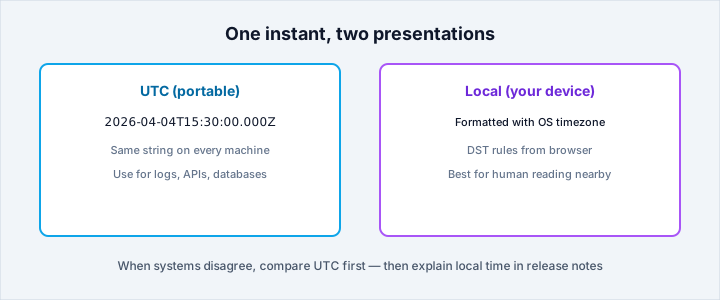
What this shows: why UTC strings stay comparable across servers, while local formatting follows your device clock and daylight-saving rules.
Seconds, milliseconds, microseconds, and nanoseconds
JavaScript Date stores UTC milliseconds since the epoch. That is why thirteen-digit millisecond timestamps feel native in browser tooling, while sixteen-digit microsecond values often come from databases, analytics pipelines, or hardware sensors. Nanoseconds appear in high-resolution traces; we convert them with BigInt arithmetic on the main path, then project into milliseconds for calendar display when the result still fits the safe numeric range exposed to Date.
Fractional seconds (for example 1712847234.789) are supported on the second and millisecond modes by mapping the decimal tail into milliseconds up to the precision we display. That matches how many loggers emit “seconds with fraction” even though the storage type is a float.
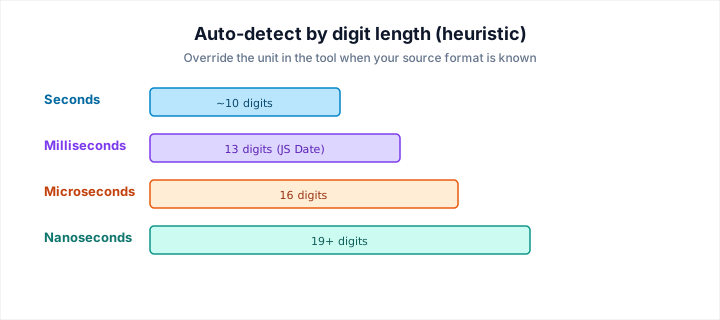
What this shows: how the on-page auto-detect guesses the unit from string length — always confirm against your log or API contract when formats are mixed.
Year 2038 and 32-bit signed integers
Systems that still store Unix time as a signed 32-bit integer can overflow after 03:14:07 UTC on 19 January 2038. When your decoded instant falls outside the inclusive range from -2,147,483,648 to 2,147,483,647 seconds, we surface a warning so you can double-check downstream consumers—embedded devices, legacy databases, or serialization layers that have not been widened to 64 bits.
The warning is informational, not a verdict on your architecture. Many modern stacks already use 64-bit integers or arbitrary precision types; others compensate with unsigned 32-bit encodings that merely postpone the problem. Treat the banner as a reminder to verify storage width before you bake timestamps into a long-lived contract.
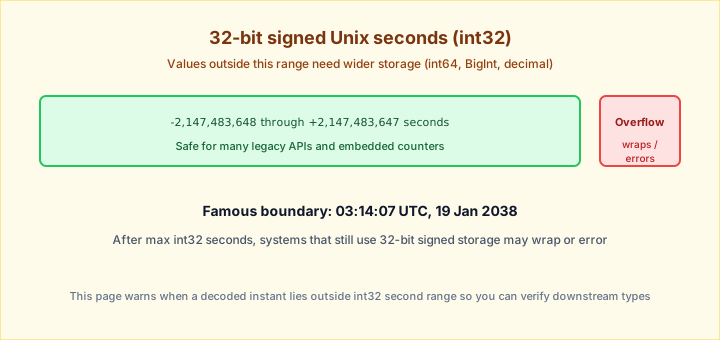
What this shows: the inclusive int32 second window and why values beyond it deserve a schema review—not panic, but a deliberate width upgrade.
Privacy, locale, and leap-second caveats
Unless you explicitly use other features of the site that perform network calls, the conversions here run locally in your browser. That makes the tool appropriate for production log snippets and customer identifiers you do not want to paste into random servers.
Locale-formatted outputs follow your device settings, which means daylight-saving rules and historical zone databases can differ slightly from what you see on a remote server configured for UTC-only logging. When in doubt, trust the UTC ISO string for cross-system comparisons.
Like other JavaScript environments, we do not model leap seconds at the Date layer. For legal or broadcast use cases where leap-second tables matter, cross-check against an authoritative time service rather than any browser-based converter alone.