Percentage Change Calculator
Free Percentage Change Calculator: instantly compute the percentage change between two numbers (increase or decrease), find the new value after a % change,...
Formula used
How to Use the Percentage Change Calculator
This calculator solves all four core percentage change problems from a single interface. Select the calculation mode that matches your #
- Find % Change: Enter original value (V₁) and new value (V₂) — the calculator returns the exact percentage change (positive = increase, negative = decrease), the absolute change, and a visual bar comparison.
- Find New Value: Enter the original value and a percentage change (positive for increase, negative for decrease) — computes the resulting value with a step-by-step breakdown.
- Find Original Value: Enter the final value and the known percentage change — reverse-calculates the value before the change was applied.
- Repeated Change: Enter a starting value, a rate per period, and a number of periods — models compound growth or decay with a full period-by-period table.
Press Calculate or Enter. Results appear instantly with a color-coded indicator (teal = increase, red = decrease), step-by-step formula, six KPI cards (click any to copy), and a visual bar comparing V₁ and V₂.
The Percentage Change Formula Explained
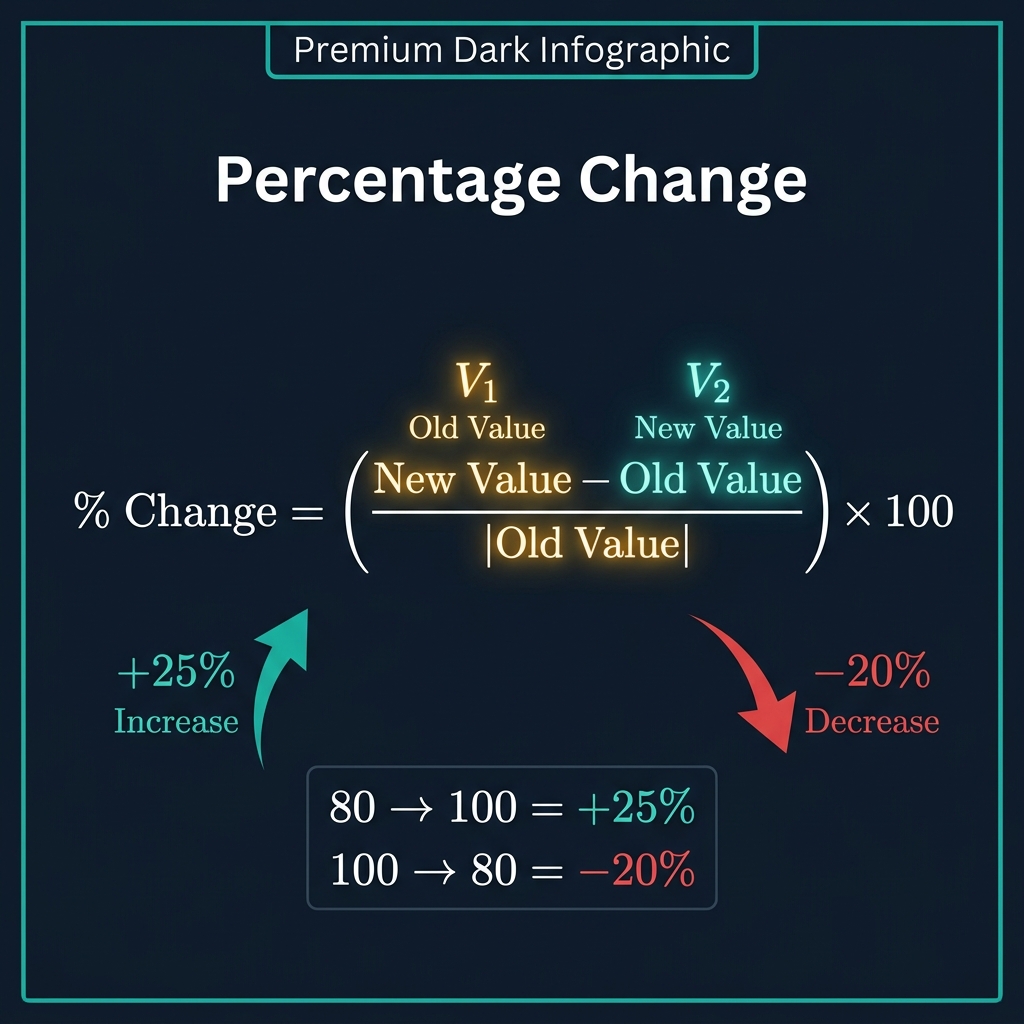
The standard formula for percentage change is:
- % Change = ((V₂ − V₁) / |V₁|) × 100
Where V₁ is the original (old, starting) value and V₂ is the new (final) value. The absolute value of V₁ (|V₁|) in the denominator handles negative starting values correctly.
- Step 1 — Absolute change: V₂ − V₁. Positive means an increase; negative means a decrease.
- Step 2 — Relative change: Divide by |V₁| to express as a proportion of the original.
- Step 3 — Percentage: Multiply by 100 to convert the proportion to a percentage.
If the result is positive, the value increased. If negative, the value decreased. A result of zero means no change. Always divide by the original (V₁), never the new value (V₂) — using the wrong denominator is the single most common percentage change error.
Worked Examples of Percentage Change
Here are five real-world percentage change calculations worked step by step:
- Price increase: A product costs $80, now $100. % Change = (100−80)/80 × 100 = +25%. The price rose by 25%.
- Price decrease (discount): A product drops from $100 to $80. % Change = (80−100)/100 × 100 = −20%. The price fell by 20%.
- Revenue growth: Annual revenue rises from $2.4M to $3.0M. % Change = (3.0−2.4)/2.4 × 100 = +25%.
- Weight loss: Body weight falls from 90 kg to 76.5 kg. % Change = (76.5−90)/90 × 100 = −15%.
- Temperature change: Temperature rises from 20°C to 25°C. % Change = (25−20)/20 × 100 = +25%.
Note the asymmetry in the first two examples: a 25% increase followed by a 20% decrease returns exactly to the original. This is not a coincidence — it is a mathematical identity: (1.25 × 0.80 = 1.00). However, a 25% increase followed by a 25% decrease gives only 93.75% of the original (1.25 × 0.75 = 0.9375).
Finding the Original Value Before a Percentage Change
A frequently needed but often misunderstood calculation: you know the final value and the percentage change that was applied, and you need to recover the original. The formula is:
- V₁ = V₂ / (1 + % Change / 100)
Example — Salary before a raise: An employee earns $57,500 after a 15% raise. What was the original salary?
V₁ = 57,500 / (1 + 15/100) = 57,500 / 1.15 = $50,000.
Example — Pre-discount price: A sale item costs $76 after a 5% discount. Original price?
V₁ = 76 / (1 − 5/100) = 76 / 0.95 = $80.
The critical mistake is to add or subtract the percentage directly: $57,500 − 15% = $48,875. This is wrong because 15% of $57,500 is not the same as 15% of $50,000. The correct approach is always to divide by the multiplier. Use the Percentage Decrease Calculator for the specific case of finding the original before a discount.
Compound (Repeated) Percentage Change
When a percentage change is applied repeatedly over n periods, the effects multiply (compound). The formula is:
- Final Value = Starting Value × (1 + r / 100)ⁿ
This is the compound growth formula — the same formula used in compound interest, population growth, inflation, and depreciation. Key properties:
- Rule of 72 (growth): A value doubles in approximately 72/r periods at rate r%. At 6% annual growth, doubling time ≈ 12 years.
- Rule of 70 (decay): A value halves in approximately 70/r periods at decay rate r%.
- Compounding is not linear: 5% per year for 10 years is not 50% total. It is (1.05)¹⁰ − 1 = 62.89% total growth.
- Negative rates compound too: −3% per year for 20 years: (0.97)²⁰ = 0.5438, a total decrease of 45.62%, not 60%.
The Asymmetry Rule: Why Equal Percentages Don't Cancel
One of the most practically important — and most misunderstood — properties of percentage change is asymmetry. Because each percentage change applies to a different base, equal-sized increases and decreases are not symmetric:
- A stock falls 50%: $1,000 → $500. To recover to $1,000, the stock must rise 100% from $500, not 50%.
- A portfolio gains 25% then loses 25%: the net result is −6.25% (1.25 × 0.75 = 0.9375).
- A salary is cut 20% then raised 20%: the net result is −4% (0.80 × 1.20 = 0.96).
The general formula for the recovery percentage needed after a p% loss: Recovery = p / (100 − p) × 100. For a 30% decline: 30/(100−30) × 100 = 42.86% gain required to recover.
This asymmetry has profound implications for investing, budgeting, and business planning. It explains why protecting against losses is mathematically more powerful than chasing equivalent gains. See the Percentage Increase Calculator and Percentage Decrease Calculator for focused tools on each direction.
Percentage Points vs. Percentage Change
This distinction matters enormously in journalism, finance, and medicine:
- Percentage point (pp) change: The arithmetic difference between two percentages. If market share rises from 20% to 25%, it rose by 5 percentage points.
- Percentage change: The relative change. (25−20)/20 × 100 = 25% increase in market share percentage.
- Practical example: A tax rate rising from 20% to 25% is a 5 pp increase, but a 25% relative increase in the rate. Both statements are correct, but they convey very different magnitudes.
- Medical example: A drug reducing mortality from 2% to 1% is a 1 percentage point reduction (absolute risk reduction) and a 50% relative risk reduction. Drug advertising often uses the more impressive relative figure.
In finance, basis points (bps) avoid this confusion: 1 bp = 0.01 percentage points. A rate rising from 2.00% to 2.25% rose by 25 bps, unambiguously. See the Basis Point Calculator for conversions.
Real-World Applications of Percentage Change
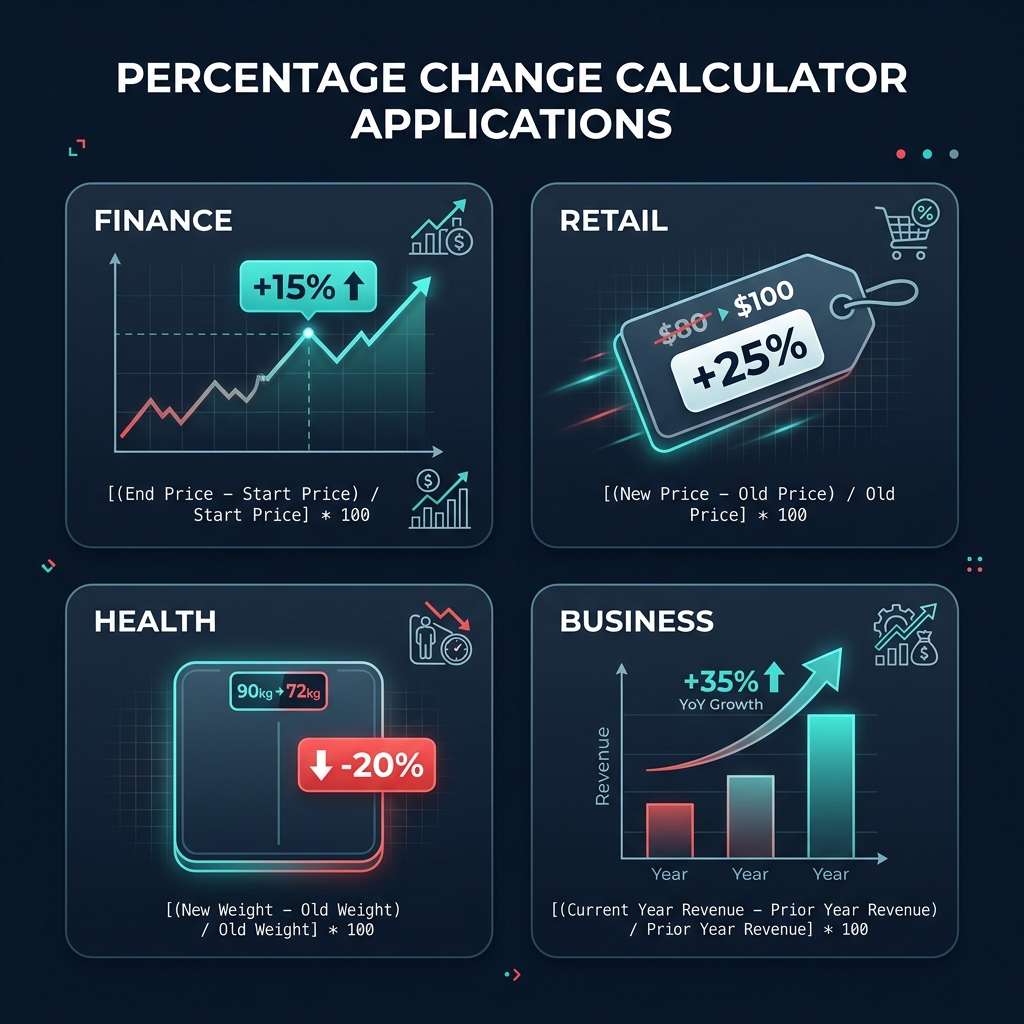
- Finance & investing: Portfolio returns, stock price changes, earnings growth (YoY), revenue growth rate, CAGR (compound annual growth rate). Use the CAGR Calculator for multi-year compound rates.
- Retail & pricing: Discount percentages, price markups, VAT-inclusive price to pre-tax price. The Percentage Discount Calculator is purpose-built for retail.
- Economics: GDP growth, inflation rates, unemployment rate changes, currency appreciation/depreciation, commodity price fluctuations.
- Health & science: Weight change, blood pressure change, clinical trial efficacy (relative risk reduction), drug concentration over time, population growth rates.
- Business analytics: Month-over-month and year-over-year KPI comparison, sales funnel conversion rate changes, customer churn rate, cost reduction programs.
- Real estate: Property value appreciation, rental yield change, mortgage rate movement in basis points.
Common Mistakes When Calculating Percentage Change
- Dividing by the new value instead of the original: Always use V₁ in the denominator, never V₂. (100−80)/100 × 100 = 20%, but the correct answer for "80 to 100" is (100−80)/80 × 100 = 25%.
- Adding successive percentage changes: A 10% increase followed by a 10% increase is not 20% total. It is (1.10 × 1.10 − 1) × 100 = 21% total. Successive changes multiply, they do not add.
- Confusing percentage change with percentage points: An interest rate rising from 2% to 3% is a 1 pp change, not a 1% change. It is a 50% relative change (1/2 × 100).
- Reverse percentage error: Adding back the percentage to the final value. If a 20% tax was added to reach $120, the pre-tax price is $120/1.20 = $100, not $120 − 20% × $120 = $96.
- Ignoring the sign: A "15% change" is ambiguous — is it +15% or −15%? Always state the direction explicitly (increase or decrease) or use signed values.
Related Calculators — Internal Links
- Percentage Increase Calculator — Focused on upward changes: find the % increase, new value after an increase, original value before an increase, or compound growth over multiple periods.
- Percentage Decrease Calculator — Focused on downward changes: find the % decrease, new lower value, original value before a reduction, or exponential decay over periods.
- Percentage Calculator — General percentage math: what is X% of Y, what percent is X of Y, and what is X after a Y% change.
- Percentage Discount Calculator — Retail-focused percentage decrease: given a price and discount %, find sale price, savings, and effective discount rate.
- Profit Margin Calculator — Profitability analysis: gross margin, net margin, and markup percentage, all grounded in percentage change arithmetic.